Latest Version
H-M-H
Finance
Linux
Free
io.github.electronstudio.WeylusCommunityEdition
Report a Problem
More About Weylus Community Edition
Imagine you are in the middle of a digital illustration or a complex photo editing session on your Linux workstation. You need the precision of a stylus, but dedicated graphic tablets are expensive and bulky. If you already own a modern tablet or smartphone, Weylus Community Edition offers an ingenious solution by transforming your mobile device into a high-performance interactive input surface for your computer.
What is the Weylus Community Edition Graphic Tablet Utility?
Developed by H-M-H, the Weylus Community Edition graphic tablet software bridges the gap between your desktop Linux computer and your touch-enabled mobile devices. Instead of purchasing dedicated digitizers, digital artists, educators, and office professionals can leverage their existing hardware to draw, write, and control desktop applications with exceptional precision.
Key Features of Weylus Community Edition
This utility goes far beyond simple screen sharing. It is engineered specifically for creative and productive workflows that demand high fidelity and low latency:
- Stylus & Pen Integration: Full support for modern active styluses, including precise pressure sensitivity and tilt detection, making it highly compatible with professional creative suites.
- Multi-Touch Capability: Interact naturally with your canvas. You can pinch, zoom, and rotate your workspace in software that natively supports multi-touch gestures, such as Krita.
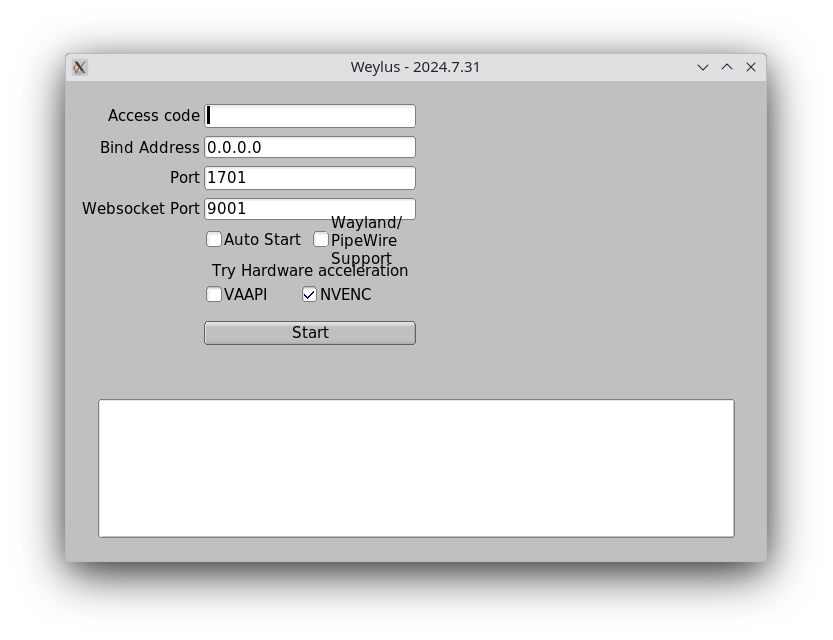
- Ultra-Fast Screen Mirroring: Features hardware-accelerated video encoding to ensure your desktop screen mirrors to your tablet with minimal lag.
- Targeted Window Capture: For focused work, you can capture specific application windows and restrict your drawing inputs solely to those areas.
- Versatile Input Modes: Use your phone or tablet as a secondary monitor, control your system mouse directly, or send text using physical keyboards connected to your mobile device.
Who is this Tool For?
The Weylus Community Edition graphic tablet solution is ideal for digital illustrators who want to paint directly on a screen without buying high-end pen displays. It is equally valuable for educators hosting online lectures who need to write formulas by hand, or remote professionals looking to expand their desktop real estate with a secondary touch monitor on Linux.
Our Verdict
For Linux users seeking a cost-effective, highly customizable touch interface, this application delivers outstanding performance. By repurposing hardware you already own, it provides a seamless bridge between mobile touch screens and desktop power. To explore this utility further and integrate it into your workflow, visit the official Flathub store page to get started.
Rate the App
User Reviews













Popular Apps









Editor's Choice